
At Datarecovery.com, we discourage the use of data recovery software. Software can exacerbate issues like hard drive head crashes, potentially causing permanent damage (and preventing a successful recovery, even if the drive is treated in a professional data recovery laboratory).
Even so, data recovery software can be effective in some logical (non-physical) data loss scenarios. This article is intended as a guide for limiting your risks when using software.
To that end, you’ll need to clone your storage media before starting your attempt — and since you’ll need to run the software from a separate device, you’ll need at least three hard drives (or solid-state drives, or other devices) to get started. We’ll explain the basics below.
If you’re not ready for that level of commitment, there’s an alternative: Datarecovery.com provides free media evaluations, and we offer several service levels to help you keep data recovery within your budget. To get started, call 1-800-237-4200 or submit a case online.
1. Understand the risks of logical data recovery.
Data recovery software is intended for a narrow set of data loss scenarios:
- Accidental file deletion.
- Accidental reformatting or repartitioning.
- File corruption that was not caused by a hard drive failure.
- Damage from certain types of viruses, trojans, or other malicious software.
Software cannot fix a hardware issue. If your drive shows any signs of physical damage, running software may cause permanent data loss.
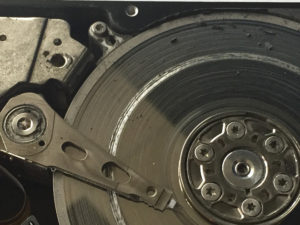
For hard drives, symptoms of physical malfunctions can include unusual noises, extremely slow operation, or a failure to boot/recognize. However, hard drive failure symptoms may be subtle — the safest course of action is to get an evaluation from a professional data recovery laboratory.
Datarecovery.com provides free evaluations for hard drives, solid-state drives, and other storage media. We also support our services with a no data, no charge guarantee: If we can’t recover your files, there’s no fee for the attempt.
If you’re still committed to using software, proceed to the next step. Just remember: If you can’t afford to lose the data, get help from a professional.
Related: Before Using Data Recovery Software, Read This
2. Make a complete clone of the drive.
If you attempt to recover the data from the original drive, you’ve got one chance at a successful result — and if you make a mistake, your data may be permanently lost.
Professional data recovery companies begin each logical case by creating an exact duplicate (or clone) of the original media. This ensures that your approach is non-destructive: You won’t endanger the original data during the attempt.
Some tips:
- Choose a free cloning tool. Since you’re simply cloning your hard drive for data recovery, you don’t need an expensive cloning tool with extensive features.
- We don’t recommend specific software, but plenty of free resources are available. Clonezilla, an open-source cloning tool, is a popular option. Macrium Reflect is another example.
- Read the software’s instructions. Double-check that you’ve selected the correct source and target drive — then check again. If you clone the blank drive to the source drive, you will permanently overwrite data.
- Clone the entire drive. If it has multiple partitions, clone each partition (even the partitions that don’t contain the target data).
- Don’t use compression. If the software offers an option that reads something like “exact partition offset and length,” select that option.
- Give the tool enough time to complete the clone. Do not continue to use your computer during the cloning process.
3. Before paying for data recovery software, do your research.
To reiterate, we do not recommend using data recovery software, so we can’t point you towards specific tools.
However, we can say that you can learn about the features and limitations of any popular tool with a quick Google search. We’d recommend communities like Reddit’s /r/datarecovery, where users frequently ask questions about software tools.
During your research, remember:
- If a company promises that their software can recover overwritten data, they’re lying.
- If a company promises that their software will work on physically damaged hard drives, they’re lying.
- If a company offers a “free trial,” read carefully to find out about the trial limitations. Many programs will only recover a small number of files for free — the customer must pay a hefty fee to access the rest of their data.
Once you’ve chosen a tool, read the instructions carefully. Follow the instructions to the letter.
Never install the software directly to the device that contains the original copy of your data (or to the clone). The software should be installed on a separate computer; you’ll hook the clone drive up as a secondary drive, then run the software.
4. If data recovery software doesn’t work, don’t panic.
Data recovery software is limited. Most commercial programs work by scanning metadata in the filesystem, using algorithms to highlight deleted, corrupt, or missing files — which works, provided that the filesystem has that information.
But when data is overwritten, this obviously doesn’t work: A restored corrupt file may still have serious corruption, which might prevent the file from opening. A restored picture may have random artifacts. A database may be completely unusable.
And if a data storage device isn’t working as expected, data recovery software will not be able to fix that issue. The good news is that if a drive is physically functional, it’s generally a good candidate for professional data recovery.
If you’ve lost data, we’re here to help. Call Datarecovery.com at 1-800-237-4200 to discuss your case with a technician.