
RAIDZ Recovery opens ZFS RAID-Z pools that will no longer import and copies the files out. It reads the member disks, or images of them, directly and read-only, with no ZFS installation and no pool import, and it is built for the pools ZFS itself gives up on: failed members, even more of them than the parity covers, wiped labels, damaged metadata, and deleted data.
$1,299per license, one-time. Card, or cryptocurrency at 10% off. Free trial on request.
Buy now Request a free trial All software
SHA-256: e3cc7f9172d4ec36962c3effddc35fdc0ae7a8411d8b9d2ef352facd1ff652c7
Not ready to buy? A free trial is available on request: give us your name, company or agency, phone and email, and we send the trial by email. The download starts right after payment, and the link stays in your receipt with your license key. Licensed as is, without warranty. Email support included at no extra cost: help@datarecovery.com, Monday to Friday, 9 am to 4 pm Central. Sales tax is added where required.
What it does
- Reads RAID-Z1, RAID-Z2, and RAID-Z3 pools from images of the member disks, whole-disk images with a partition table or plain partition images. Physical disks can be added when the program runs as administrator; imaging failing disks first is what our own lab does.
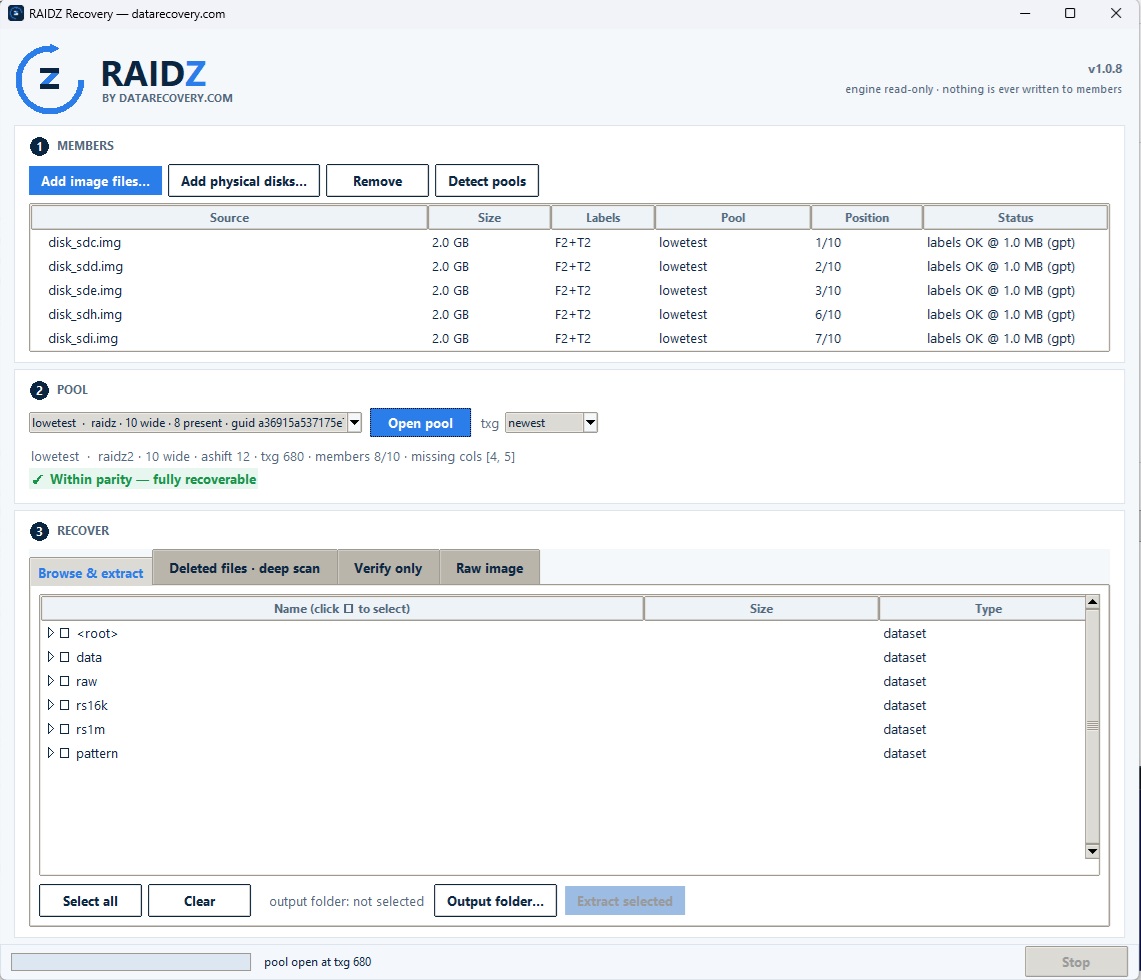
- Detects pools automatically from the ZFS labels at the front and the tail of each member, groups the members by pool, and places members whose partition table or front labels were wiped by their tail labels.
- Opens degraded pools with as many members missing as the parity allows: one for RAID-Z1, two for RAID-Z2, three for RAID-Z3. The Pool tab shows the geometry, the members present and missing, and the parity verdict, and lets you choose an earlier transaction group when the latest one is damaged.
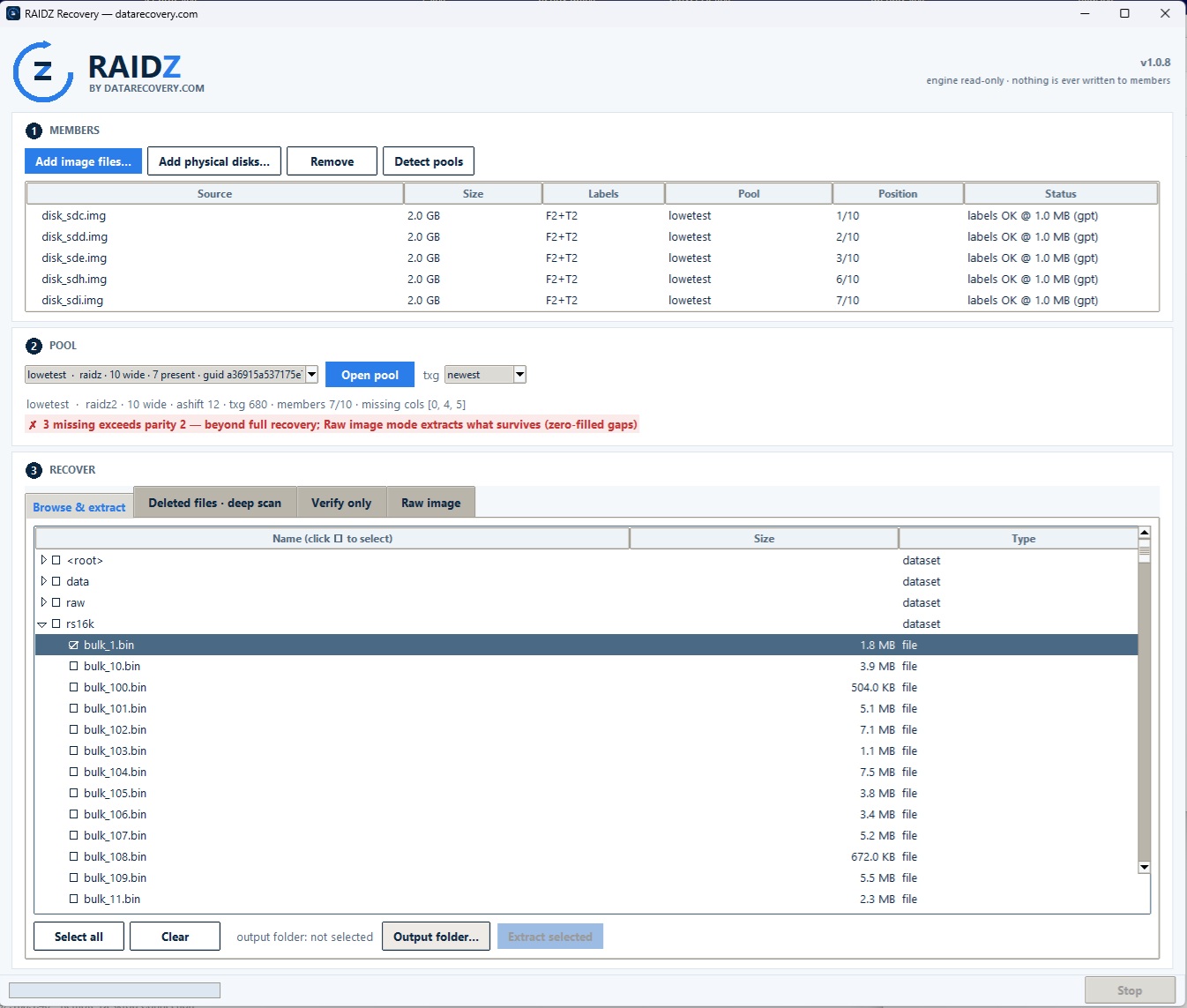
- Keeps working past the parity limit. When more members are missing than the parity covers, the verdict says so up front, the pool still opens, and every file you extract is marked intact or damaged. Raw image mode then writes the whole pool out as one flat image, with missing rows solved from parity where possible and zero-filled where not, so carving tools can work on what survives. It can be stopped and resumed.
- Browses datasets and folders like a mounted pool, following mountpoints into child datasets, and extracts the files, folders, or whole datasets you tick.
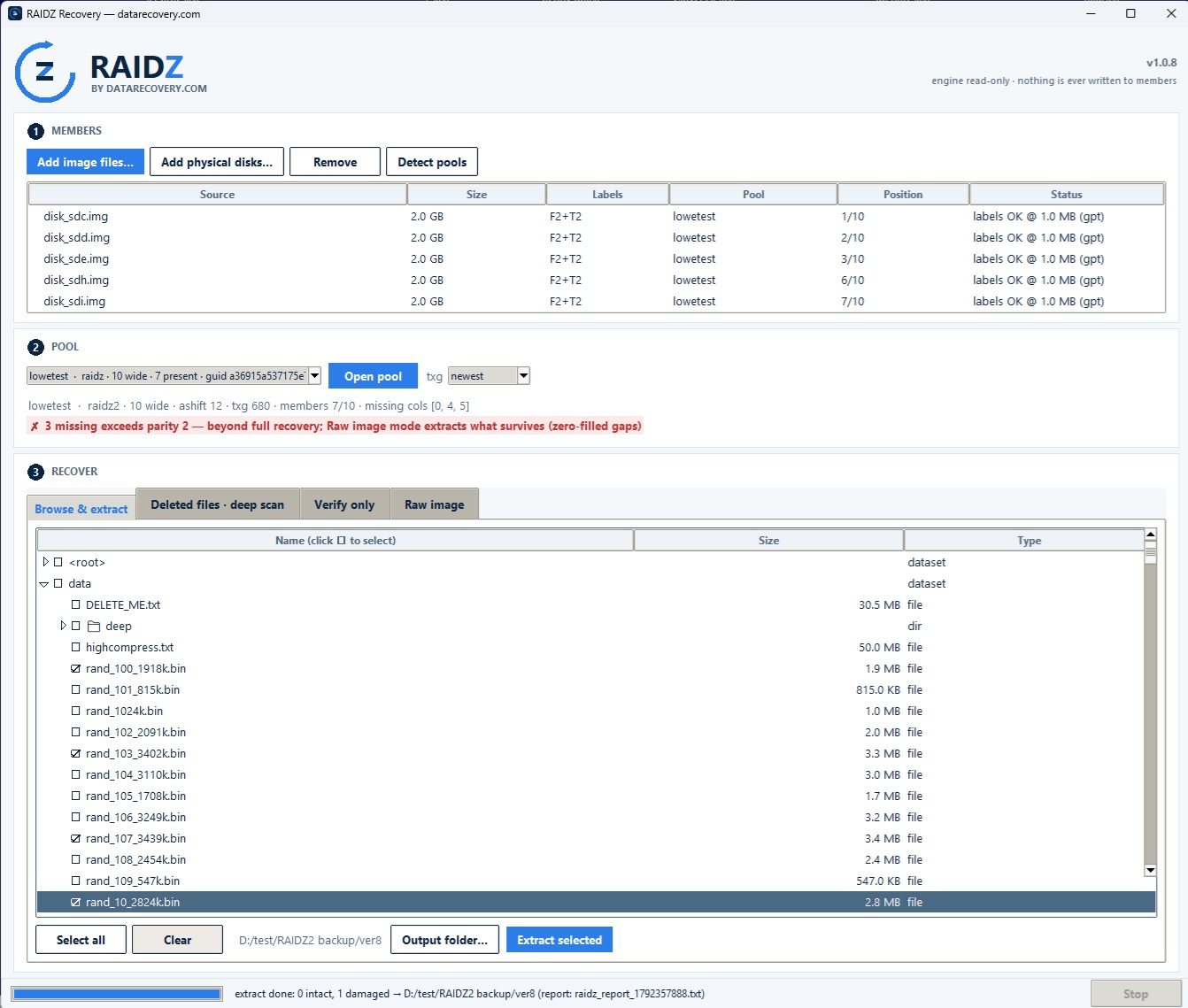
- Verifies every block it reads against the checksums ZFS recorded. Each run writes a plain-text report beside the output that lists every file and any block that could not be recovered.
- Deep scan sweeps the whole pool for files that were deleted, builds a catalog you can reopen later, and extracts the cataloged objects. Because deleted data no longer has a checksum chain, those extractions are labeled as unverified.
- Verify only reads every reachable file end to end, writes nothing, and reports the damage per file.
What you need
- Images of the member disks, or the disks themselves on an administrator session. For a complete recovery, no more members may be missing than the pool’s parity level. Beyond that, the program still opens the pool and extracts what survives, and the Pool tab tells you which case you are in before you start.
- A pool with one RAID-Z top-level vdev. 512-byte and 4K sectors, LZ4-compressed and uncompressed data, and fletcher4 and SHA-256 checksums are supported. Pools with several top-level vdevs, dRAID, and native encryption are not.
- A 64-bit Windows computer with enough free disk space for the extracted files. Deep scan uses every processor core it is given, so more cores mean a faster scan.


How to use it
- Download RAIDZ Recovery and run it. The program is a single file and does not require installation.
- On the Members tab, add the member image files and click Detect pools. Each member shows where its labels were found and which pool it belongs to.
- On the Pool tab, check the members present and missing and the parity verdict, then open the pool.
- On the Recover tab, choose an output folder, tick the datasets, folders, or files you want, and click Extract selected. Use Deleted files to run a deep scan, Verify only to check the pool without writing anything, or Raw image to write the whole pool out as one flat image when the damage is beyond parity.
- Read the report written beside the output. It lists what was recovered and anything that could not be verified.
Your disks are never modified
RAIDZ Recovery opens every member read-only, and that rule is enforced in the engine rather than left to a setting. Nothing is written to the members, the pool is never imported, and recovered data goes only to the output folder you choose.
If a pool has lost more members than its parity can cover, or the disks themselves are failing, our engineers can help. Call 800.237.4200 or start a recovery ticket.