
You’ve decided to use RAID, but you’re not sure why RAID 5 is the most popular choice for home users and small businesses. Isn’t RAID 6 better?
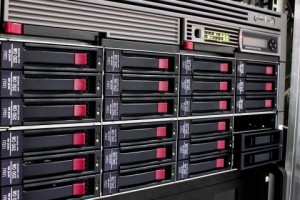
A larger RAID rackmount system.
RAID 6 offers a higher level of fault tolerance than RAID 5 because it can survive the simultaneous failure of two hard drives without losing data. RAID 5 is popular for its balance of performance and storage efficiency, but RAID 6 provides the extra security necessary for high-capacity storage environments where drive rebuild times can take days.
Below, we’ll compare the architectures of both levels to help you decide which configuration will work best for your needs. First, though, we need to clear up a common point of confusion: RAID is not backup, and should not be used as the sole means of protecting data integrity. Here’s why.
Why Choose RAID At All?
RAID stands for Redundant Array of Independent Disks, or alternatively, Redundant Array of Inexpensive Disks. A standard RAID combines multiple physical hard drives into a single logical unit to improve performance or provide redundancy.
(Note: Despite the name, RAID 0 isn’t truly redundant — a single member failure will cause data loss — but we’ve discussed RAID 0 in detail in another article).
Redundancy is the primary benefit for most businesses. By spreading data across multiple disks, the system remains operational even if a hardware component fails. Obviously, that’s essential for mission-critical systems (servers, for example).
But RAID is not a substitute for a backup. It’s a safeguard against hardware failure, it does not protect against accidental deletion, file corruption, ransomware, or multiple hard drive failures. Always keep a separate, off-site backup of your critical data.
The Advantages and Use Cases for RAID 6
RAID 6 utilizes dual parity, which means it calculates two different sets of parity data and distributes them across all disks in the array. A minimum of four drives is required for this architecture.
With RAID 6, you get a few clear advantages:
- Tolerance for Double Failures: The defining feature of RAID 6 is its ability to withstand two concurrent drive failures. In our laboratories, we frequently see cases where a second drive fails during the high-stress rebuild process of the first failed drive; RAID 6 prevents this from becoming a data loss event.
- Suitability for Large Drives: As hard drive capacities grow into the terabytes, rebuild times increase significantly. RAID 6 is the strategic choice for large arrays where the window of vulnerability during a rebuild could last 24 to 48 hours.
- Enterprise-Grade Reliability: RAID 6 works better for mission-critical servers and data archives where uptime is paramount and the cost of extra disks is secondary to the safety of the information.
- High-Read Environments: Like RAID 5, RAID 6 offers excellent read performance, so it’s well-suited for database servers and applications where data is accessed frequently by many users.
The Advantages and Use Cases for RAID 5
RAID 5 uses single parity distributed across all disks and requires at least three drives. It remains one of the most common configurations for small-to-medium business NAS (Network Attached Storage) devices.
RAID 5 is relatively common, which gives it an immediate advantage — it’s far easier to find resources for RAID 5 arrays, both in terms of setup and disaster recovery.
Other advantages of RAID 5:
- Optimized Storage Capacity: Because RAID 5 only uses the equivalent of one drive’s capacity for parity, you have more usable space compared to RAID 6. If you are working with a limited number of drive bays, RAID 5 maximizes your investment (this isn’t really much of an advantage given the historically low cost of hard drives, but it’s functionally important at scale).
- Faster Write Performance: RAID 6 requires two parity calculations for every write operation, which can create a write penalty or performance lag. RAID 5 only performs one parity calculation, so it’s typically faster during writes.
- Cost-Effective Redundancy: For smaller arrays using lower-capacity drives, the statistical likelihood of a second drive failing during a rebuild is relatively low. RAID 5 provides a balanced safety net without the hardware overhead.
- General Purpose Storage: Small-scale file storage, web hosting, and development environments often benefit from RAID 5 where a single-drive failure is a manageable risk.
For a deeper look at the mathematical probabilities of drive failure, the Storage Networking Industry Association provides extensive research on system reliability and data management.
Selecting the Right Configuration for Your Data
Choosing between these two levels involves a trade-off between capacity and redundancy. For most use cases, capacity and write speed win — RAID 5 is the most popular option for small-scale storage for a reason.
With that said, RAID 6 is the right choice for high-capacity arrays where data integrity cannot be compromised. If your rebuild window exceeds several hours, the dual parity of RAID 6 protects against catastrophic rebuild failure.
At Datarecovery.com, we specialize in complex RAID recovery from all configurations, regardless of the failure mode. Our engineers utilize purpose-built cleanrooms and proprietary tools to mirror damaged media and reconstruct lost arrays. We operate with a no data, no charge guarantee, ensuring that you only pay if we successfully recover your vital information.
Every case begins with a risk-free evaluation to provide you with a clear path forward. If your RAID array has failed or you’re seeing degraded status alerts on multiple drives, our team is ready to help.
Contact us at 1-800-237-4200 or submit a case online to start your recovery process.


