
Storing an old hard drive in a desk drawer is not a safe long-term strategy if you want to ensure the data remains accessible. A drawer might protect a drive from direct sunlight and spilled coffee, but it does nothing to prevent mechanical and electrical degradation.
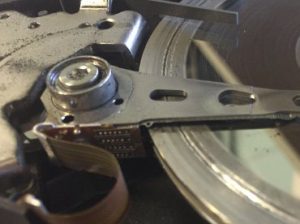
One of the most common myths about hard drives is that as long as they’re powered down, the data is safe, and there’s a grain of truth to this, since we tell our clients to shut down any hard drive that shows signs of physical damage. You definitely don’t want to run an HDD with failed heads or busted electronics; that’s how you get permanent platter damage (see the picture on the right side of this page).
But if you’ve got an old hard drive and you need the data, we strongly recommend backing it up to at least two other devices. Here’s why.
Long-Term Idle HDD Storage: Risks and Best Practices
Hard disk drives (HDDs) are mechanical devices. They’ve got moving parts lubricated by specialized oils, and when a drive sits unpowered for months or years, these lubricants can settle or thicken.
This is a process called stiction, and at its extremes, it can prevent the spindle motor from spinning the platters when power is finally applied. Just as you wouldn’t let your car sit in a garage for years without checking the fluids, you shouldn’t let an HDD sit in a desk for more than a few months.
Additionally, the magnetic bits on the platters that represent your data can lose their orientation over time, a phenomenon known as magnetic decay or data rot. Without the drive’s internal controller periodically refreshing the signal during normal operation, those bits can become unreadable.
Environmental factors like humidity can also lead to subtle corrosion on the internal circuitry, which may cause a short circuit the moment you plug the drive back into a computer.
The bottom line: Hard drives aren’t built for long-term archival storage. If you’re planning on grabbing the data from an old out-of-service HDD, do it as soon as possible, and then make backups of that data.
So, how should I preserve my data on an old hard drive?
Ideally, get that data off of the hard drive. Don’t trust a mechanical device to hold your files indefinitely.
Keep these tips in mind:
- Prioritize a Verified Backup: Before you even consider storage, ensure the data exists in at least two other locations (we’d suggest a primary computer and a reputable cloud service). If you don’t have two backups, your data is at risk. Learn more: 6 Data Backup Mistakes That Increase Your Risk of Data Loss.
- Boot Up Old Hard Drives Occasionally: If you must store a hard drive for a long period of time for some reason, power it on at least once every six months. Let the drive spin for twenty minutes to allow the lubricants to redistribute and the internal system to perform its own health checks.
- Guard Against Static and Vibration: If you must store a drive physically, place it in an anti-static bag (the silver or translucent gray bags they originally ship in) to prevent Electrostatic Discharge (ESD) from frying the PCB. Store it flat on a stable surface.
- Control the Climate: Excessive moisture is a major issue, so use a sealed, airtight container with a desiccant pack (like those silica gel packets found in shoe boxes).
Don’t Store Data In a Single Location
Despite your best efforts, hard drives can, and often do, break during storage regardless of how carefully you’ve tucked them away. High-quality storage containers cannot stop media from failing.
If you’ve lost data from a hard drive for any reason, we’re here to help. Datarecovery.com provides risk-free evaluations for all storage media, including hard drives and SSDs. We also operate under a no data, no charge guarantee, so you only pay for a successful recovery of your files.
If you have a drive that refuses to mount or makes clicking sounds after being stored away, the safest course of action is to stop applying power immediately to prevent further platter damage.
For a free evaluation, call us at 1-800-237-4200 or submit a ticket online.